
An expert one sheet is a single page that carries one message, proves it with real evidence, and tells the reader exactly what to do next. It’s the document a journalist skims in ten seconds, a meeting planner pulls up before booking a keynote, or a prospect glances at before deciding whether to reply to your email. Canva describes the one-pager as a concise, scannable format built specifically for persuasion, and that’s the whole job of an expert one sheet in miniature. Goldman McCormick PR, recognized by Forbes as one of America’s best PR firms for 2021, has built these documents for attorneys, psychologists, and other professionals for over a decade, and the pattern holds every time: the one sheet works when it has a job, and fails when it tries to do five.
You’ll reach for one on a handful of occasions:
- Pitching a producer or reporter on a story
- Submitting a speaker application to a conference or association
- Leaving something behind after a sales meeting
- Attaching a snapshot to an investor introduction
- Backing up a media kit with a fast, printable summary
TL;DR:
- Use a single, clear message with one proof point and a specific call to action, ensuring the reader understands your value within two minutes.
- Match your layout to the purpose: printed speaker sheets should be leave-behinds with high-quality design, while media sheets are best hosted online for quick mobile access.
- Prioritize disciplined editing by removing unnecessary elements, focusing on one idea, and maintaining brand consistency with precise colors and fonts.
- Export print PDFs with CMYK and bleed, and digital versions in sRGB, keeping file sizes small for email outreach and tracking opens.
- Partner with professionals like Goldman McCormick PR for media-ready sheets that integrate seamlessly into active outreach campaigns.
Table of Contents
- What Types of One-Sheets Exist and When to Use Them
- What Core Parts Does Every Expert One Sheet Need?
- Design, Layout, and Production Rules That Prevent Mistakes
- Annotated Templates You Can Copy and Adapt
- How Should You Export a One-Sheet for Print vs. Digital?
- Using an Expert One Sheet in PR and Media Outreach
- Quick Checklist for Assembling a One-Sheet Fast
- Why Discipline and Brand Fidelity Win
- Get a Media-Ready One Sheet Built by Professionals
- Key Takeaways
- Sources
What Types of One-Sheets Exist and When to Use Them
Not every one sheet does the same work, and treating them as interchangeable is the fastest way to write a document that satisfies nobody. Each variant has a distinct job and a distinct reader.
- Speaker one-sheet: Built for meeting planners and conference organizers. Leads with topics, credibility, and past stages.
- Product sell sheet: Built for buyers comparing options. Leads with benefit, price cue, and proof of results. Xtensio’s sell sheet framework notes that sell sheets lead with benefits and pricing, while a general one-pager condenses an argument for quick internal sharing.
- Press/media one-sheet: Built for journalists and producers. Leads with the news hook, not your résumé.
- Company one-pager: Built for partners, employees, or general audiences needing a fast overview.
- Investor one-pager: Built for funders. Leads with traction and the ask.
Distribution matters as much as content. A speaker one-sheet works best as a printed leave-behind or a PDF attachment, since planners often print stacks for review. A press one-sheet should live as a hosted link you can drop into an email, so a producer can open it on a phone without downloading anything. Sell sheets split the difference: attach them to warm outreach, but host them for cold prospecting where file size and inbox filters matter more.
What Core Parts Does Every Expert One Sheet Need?
Every effective one sheet, regardless of type, resolves the same five decisions before a designer touches it. Skip one and the document reads as unfinished, no matter how polished the layout looks.
- A primary headline. One line stating your value proposition in plain language. This is the only sentence some readers will absorb, so it carries the whole argument.
- A one-sentence problem, then a two-sentence solution. State what’s broken, then how you fix it and what changes as a result.
- Two to three proof points. A metric, an award, a media logo, or a direct testimonial. Numbers beat adjectives every time.
- A visual hook. A photo, chart, or pull quote that breaks up the page and gives eyes somewhere to land besides body text.
- One CTA and a contact block. Not three calls to action. One.
Statistic to know: Soreng & Co.’s “stranger test” framework argues a one-pager should let someone unfamiliar with you grasp the problem, the solution, one proof point, and the next step within about two minutes of reading. If your draft fails that test on a first read-through, the fix is almost always trimming, not adding.
Copy length should track type size, not the other way around. Headlines are generally sized large enough to fit a concise phrase before wrapping awkwardly. Body copy is best kept to just a few short sentences per block to avoid overwhelming the page.
Design, Layout, and Production Rules That Prevent Mistakes
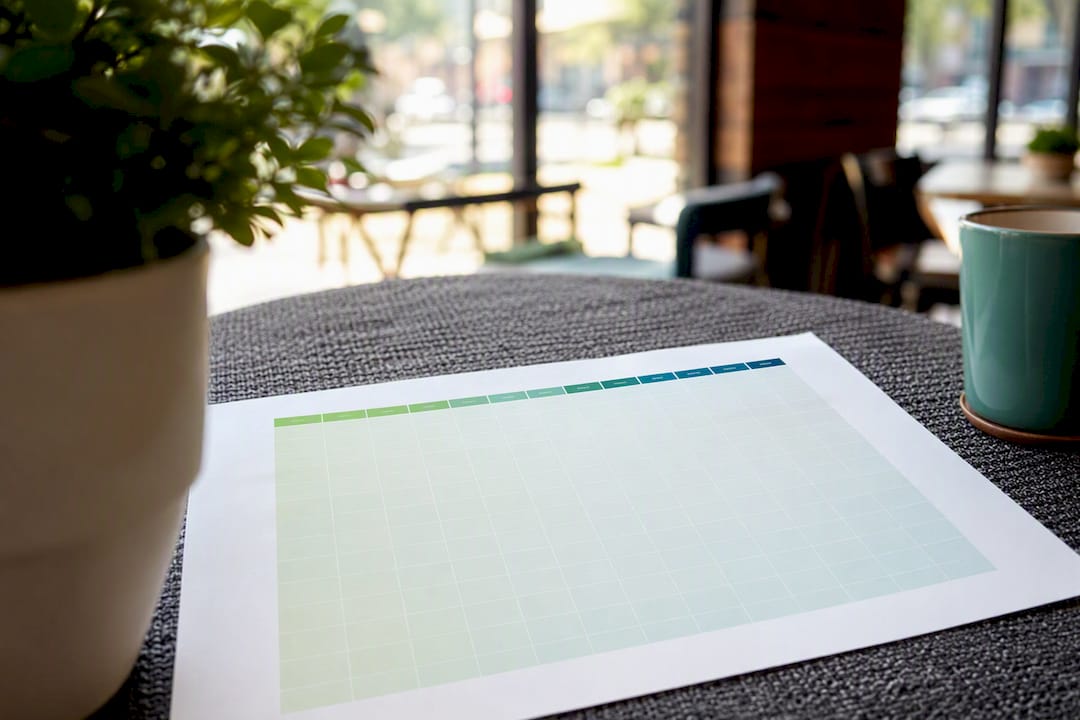
Most one-sheet failures aren’t writing failures. They’re layout failures that make good copy unreadable. Design guidance from Helion360 puts it plainly: resolve your content hierarchy before you open a design tool, and keep the type scale disciplined throughout.
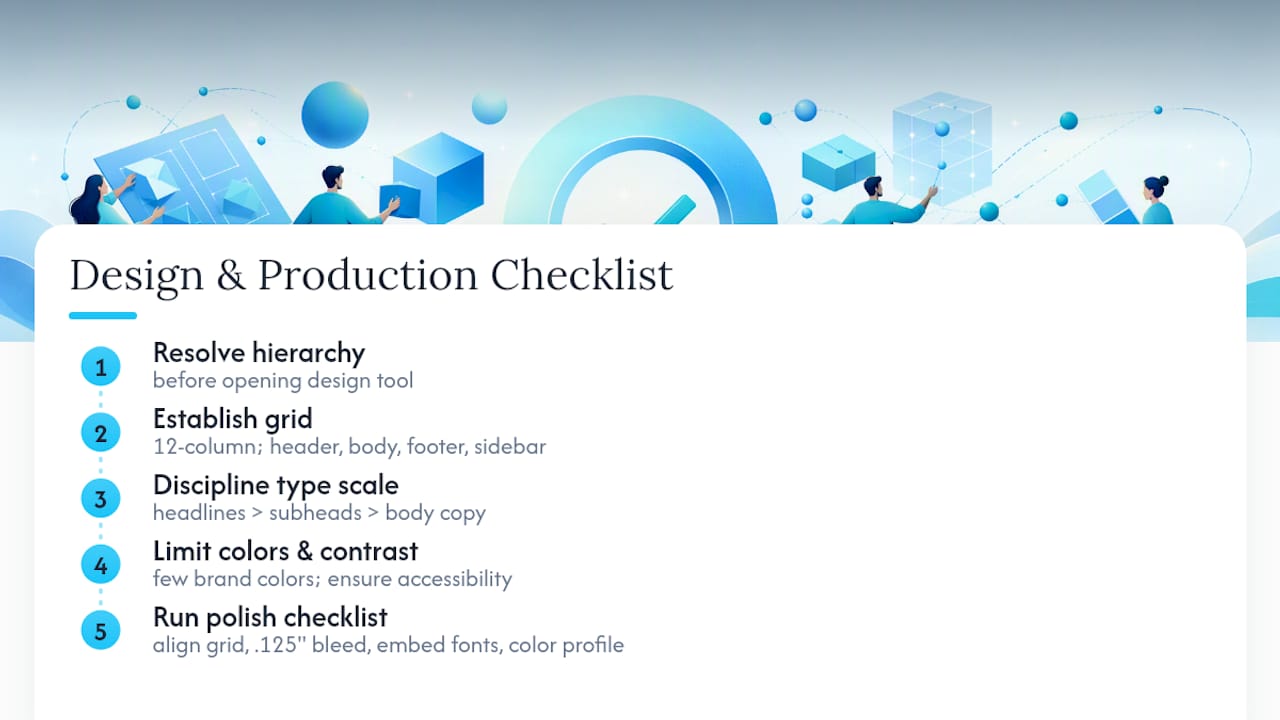
Start with structure. A 12-column grid provides flexibility to structure the page with a full-width headline area, and zones for proof points and a sidebar. A typical layout on letter or A4 size divides the page roughly into a header zone at the top, body content in the middle, and a footer with call-to-action near the bottom.
Type scale maintains hierarchy, with headlines clearly larger than subheads and body copy. Body text is commonly set to a readable size with only a few lines per content block to ensure clarity.
Color and contrast decide whether the page is legible or just pretty. Limit the color palette to a small number of brand colors including neutrals, and ensure sufficient contrast between body text and background to meet accessibility standards. A pale gray headline on a white card might look sleek on your monitor and be unreadable when printed or viewed on a phone in direct sun.
Pro Tip: Always use the precise colors and fonts defined in your brand guidelines when creating one sheets, rather than approximations, to maintain brand consistency.
Before anything ships, run the polish checklist: confirm every element aligns to the grid, bleed extends .125 inches past the trim edge, fonts are embedded or outlined, and the file is in the correct color profile for its destination. Structured grids with defined margins and gutters are what keep a one-sheet production-ready instead of a last-minute scramble.
Annotated Templates You Can Copy and Adapt
Three patterns cover most requests Goldman McCormick PR fields from clients. Each one assigns a specific job to a specific zone of the page.
Speaker one-sheet pattern:
- Headline stating your core expertise angle
- Bio, 30 to 40 words, third person
- Three to five speaking topics as short bullets, not paragraphs
- Past placements or stages (logos work better than a list)
- CTA: booking contact, directly, no “learn more” detour
BookMoreBusiness’s research on speaking one-sheets makes a point worth repeating: these documents still work as leave-behinds and pitch attachments, since they force you to clarify your positioning before anyone else has to guess at it.
Product sell sheet pattern:
- Hero benefit as the headline, not a product name
- Three features, each paired with the benefit it delivers
- One price or spec cue for context
- A single customer result, quantified if possible
- CTA: buy, request a demo, or get a quote
Press/media one-sheet pattern:
- News hook as the headline, framed as a story, not a bio
- Credential proof (media logos, awards, credentials) in one compact row
- Two or three suggested story angles a producer could run with
- Available assets: photos, b-roll, past clips
- Direct contact line, no general inbox
Journalists and producers consistently prefer a small set of ready assets and one clear point of contact over a crowded page trying to cover every possible angle.
How Should You Export a One-Sheet for Print vs. Digital?
The wrong file format is the most avoidable way to sabotage a good one sheet. Match the export to where it’s going.
- Print-ready PDF: Bleed of .125 inches, CMYK color mode, fonts embedded, crop marks included. Use PDF/X standard if a print shop requests it.
- Screen-optimized PDF: sRGB color mode, no bleed or crop marks, smaller file size for quick opening on any device.
- High-resolution PNG or JPG: Useful for social sharing or embedding in an email body rather than as an attachment.
For email, keep attachments under a few megabytes; anything larger risks bouncing or landing in spam filters. For pitches, a short, trackable hosted link often outperforms an attachment entirely, since it lets you see whether the recipient actually opened it.
Using an Expert One Sheet in PR and Media Outreach
Send the one sheet as an attachment on a warm pitch, but inline the key proof points directly in the email body for a cold one. Producers and bookers rarely open attachments from strangers, so the email itself needs to carry the headline and one proof point before the attachment gets a chance to matter.
- Follow up 48 to 72 hours after the first email if you have open or click tracking showing the one-sheet was viewed but no reply came.
- Reference the specific angle the recipient covers, never a generic pitch.
- For broadcast producers, lead with visual and audio-friendly angles; for print and digital, lead with data and quotes.
A subject line built around a story angle, something like “Legal defense strategy shift: source for your [topic] piece,” consistently outperforms a subject line built around the expert’s name. Producers respond to stories, not résumés. Goldman McCormick PR’s PR insight coverage applies this exact logic across broadcast, radio, and print placements for its clients.
Pro Tip: If you’re pitching curators, playlist editors, or niche outreach beyond traditional media, the same “small set of assets, one contact” rule applies. The curator outreach playbook from Playlist Pilot walks through structuring that kind of pitch in more specialized detail.
Quick Checklist for Assembling a One-Sheet Fast
Work through this in order, in one sitting, and you’ll have a draft ready for design within an hour: define your one message, pick the template that matches your goal, write the headline first, add two or three proof points, place a single CTA, then run the export checklist before sending anywhere.
| Placeholder | Fill With |
|---|---|
| Headline | Your core value proposition, concise phrase |
| Proof point 1-3 | Metric, award, or quoted result |
| CTA | One action, one contact method |
| Filename | orgname_onesheet_type_date_v# |
Save the master source file separately from exported PDFs, and version it by date so you’re never editing an outdated copy by mistake.
Why Discipline and Brand Fidelity Win
The one sheets that actually get results aren’t the ones with the cleverest design. They’re the ones where someone had the discipline to cut the second CTA, the third headline, and the paragraph that tried to cover everything the organization does. That editing work is invisible to the reader and it’s the entire reason the document works. Firms that have placed clients across TV, radio, and print for over a decade learn this the hard way: producers decide in seconds, and a cluttered page loses every time to a plain one that says exactly one true thing well.
— Ryan McCormick
Get a Media-Ready One Sheet Built by Professionals
Writing a one sheet that survives contact with a skeptical producer is a different skill than writing marketing copy, and it’s one Goldman McCormick PR has practiced since 2010 for attorneys, psychologists, and other professionals seeking real media exposure. Instead of guessing at grid proportions or wondering if your subject line will get opened, you get a document built by people who pitch these exact placements for a living.
Goldman McCormick PR packages media outreach, pitch materials, and speaker positioning together, so your one sheet isn’t a standalone file but part of a coordinated push toward TV, radio, and print placements. That coordination is the real difference: a one-sheet built in isolation gets read once and forgotten, while one built as part of an active pitch strategy gets used. If you want a one-sheet that’s actually built for how journalists and bookers make decisions, visit Goldman McCormick PR to schedule a consult and get started.
Key Takeaways
An expert one sheet succeeds when it commits to one message, one proof point structure, and one clear next step, backed by production specs that hold up in print and on screen.
| Point | Details |
|---|---|
| Define one message first | Write the headline and CTA before adding any supporting proof or design elements. |
| Match type to page zones | Use a 12-column grid with headline at 28-36pt and body copy at 9-11pt. |
| Pass the stranger test | A reader unfamiliar with you should grasp problem, solution, proof, and next step in two minutes. |
| Export for the destination | Use CMYK with .125 inch bleed for print, sRGB for screen-optimized PDFs. |
| Get it built by specialists | Goldman McCormick PR packages one-sheets with active media outreach for TV, radio, and print placements. |
Sources
- One-pagers: How-to Guide, Templates & Tips — Canva
- How to Design a Brand One-Sheet That Works — Helion360 (excerpt)
- Free Sales Sheet Template & Examples — Xtensio
- How Important is a One-Sheet to Your Speaking Practice? — BookMoreBusiness